
Substack gives every publication one category and every post a set of tags, and it's easy to assume these are the same feature wearing two names. They aren't. One decides whether your publication shows up on a leaderboard next to names your readers already trust. The other one, based on what we found looking at 3.2 million real Substack posts, does almost nothing for the overwhelming majority of writers who fill it in.
That gap matters because both take real time. Writers agonize over a category during setup, then tag every post for months afterward, assuming the two choices carry similar weight. Conflating them means under-investing in the system that actually feeds discovery and over-investing in one that mostly organizes an archive nobody browses by tag.
This piece covers what each system actually controls, how Substack's leaderboards use your category, what real tagging behavior looks like across a large sample of posts, and a short setup you can run in the next ten minutes.
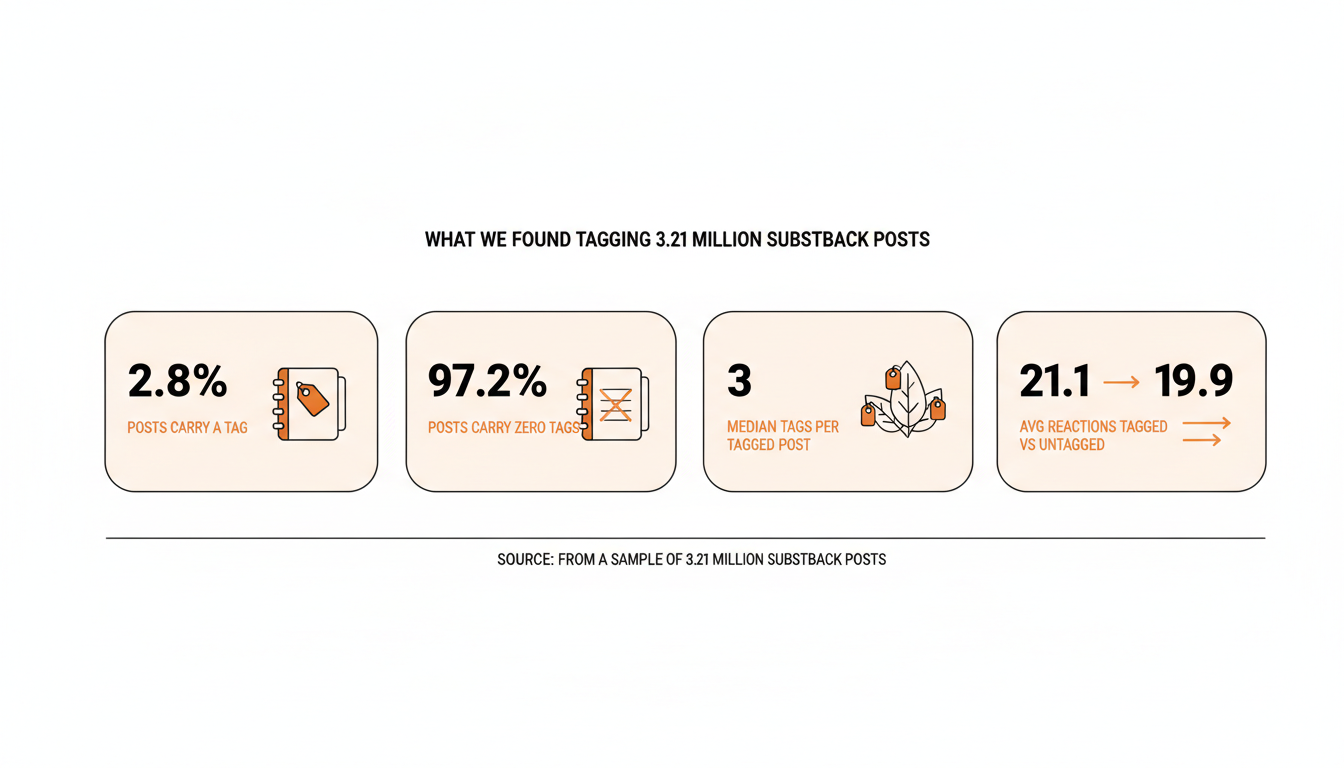
One number worth having before you start: across 3.21 million posts in our dataset, only 2.8% carry a single tag. Whatever you decide to do with tags, you're not behind by skipping them.
Table of Contents
- Categories vs. Tags: Two Systems With One Confusing Overlap
- How to Choose Your Publication's Category
- How Categories Drive Substack's Leaderboards
- What We Found Tagging 3.21 Million Substack Posts
- Does Tagging Actually Move Engagement or Discovery
- How to Write Tags That Do Something
- Common Category and Tag Mistakes
- A Simple Category and Tag Setup Checklist
Categories vs. Tags: Two Systems With One Confusing Overlap
A category belongs to your publication, not to any individual post. You pick it once, usually during setup, and it answers one question: what is this publication primarily about. Substack uses that single answer to decide where you can show up on its leaderboards and, to some extent, in its discovery surfaces.
A tag belongs to a post. You can add as many as you want in the post editor, and Substack treats them as loose, per-post labels rather than a controlled taxonomy. Two publications in the same category can use completely different tags for the same kind of post, and nothing forces consistency between writers, or even between two posts from the same writer six months apart.
The overlap that confuses people: both systems get described with the word "topic," both live somewhere in your publication settings, and both get pitched by outside guides as levers for discovery. In practice they operate on different scales. A category is publication-wide and close to permanent. A tag is per-post and essentially freeform. They don't feed the same discovery mechanism, and they don't deserve the same amount of your attention.
Practical rule: if you're deciding where to spend ten minutes this week, spend it getting your category right. It's the one of the two that Substack actually plugs into a ranking system.
How to Choose Your Publication's Category
Substack asks for a primary category when you set up a publication, with options spanning broad buckets like Culture, Technology, Business, Politics, Finance, and Food & Drink, plus narrower categories added as the platform's list has grown over time. Pick based on what you'll actually be writing about a year from now, not what fits this week's launch post. A memoir writer who picks Technology because a launch post happened to reference AI ends up competing on a leaderboard against publications that have nothing in common with what they'll actually be writing in month six.
Treat the choice as close to permanent. A publication that's been climbing a category's leaderboard for months by writing consistently in that lane has built up standing you'd be giving away by switching categories later for a broader-sounding label. If your content genuinely spans two areas, pick the one closer to your core subject, not the one with the bigger audience on paper. A niche where you can realistically climb beats a broad one where you're permanently buried on page four of the rankings.
New publications sometimes default to whatever category the signup flow suggests first. That default is rarely wrong, but it's worth the extra thirty seconds to scroll the full list and confirm nothing more specific fits, since a narrower, more accurate category is usually easier to be seen in than a broad one crowded with thousands of other publications chasing the same slot.
What Your Second Category Choice Actually Does
Substack lets you select a second category in some settings flows, and it's tempting to treat it as a second shot at exposure. According to Substack's own support documentation on choosing a leaderboard category, a publication is listed under its primary category for leaderboard purposes. A secondary category doesn't hand you a second leaderboard presence the way a second tag might feel like it should. Pick the primary category deliberately and don't spend much time optimizing the second slot beyond making sure it isn't actively misleading.
Practical rule: optimize the primary category slot and stop there. The time you'd spend agonizing over a second category is better spent writing the next post.
How Categories Drive Substack's Leaderboards
Substack runs leaderboards inside each category, split into two views. According to Substack's own explanation of how its leaderboards work, Rising highlights the fastest-growing publications based on paid subscription growth, and Top Bestseller ranks publications by annual recurring revenue. A separate New Bestseller board pulls from across every category rather than staying inside one, but a publication that lands on the category-specific boards shows up only under its primary category.
That structure means a smaller category can be an easier place to be seen than a broad one. A well-run publication in a lower-competition category can land on a Rising board and get real visibility, where the same growth rate inside a crowded category like Business or Culture might not crack the list at all. This is the practical argument for choosing a narrower, more accurate category over a broad, aspirational one: the leaderboard math genuinely favors it.
| Rising | Top Bestseller | |
|---|---|---|
| Ranked by | Paid subscription growth | Annual recurring revenue |
| Realistic for a new publication | Yes, within months | Rarely, without years of paid growth |
| Resets or slows if you switch category | Yes | Yes |
| Scope | Category-specific | Category-specific (New Bestseller spans all categories) |
Rising vs. Top Bestseller, and Why Both Matter Differently
Rising rewards momentum. A new publication with strong early paid growth can appear on a Rising board within its category well before it has enough absolute revenue to show up on Top Bestseller. Top Bestseller rewards scale, and getting there usually takes months or years of consistent paid growth rather than a single strong launch week.
For a writer just starting out, Rising is the realistic near-term target. Top Bestseller is a longer-horizon signal worth understanding, but not one to build an early strategy around, since chasing it before you have the subscriber base to support it just leads to disappointment over a number you were never in a position to move yet.
Practical rule: if you're early, track your standing on Rising inside your category, not Top Bestseller. Rising is the board you can actually influence over the next few months.
What We Found Tagging 3.21 Million Substack Posts
📅 Struggling to stay consistent on Substack?
WriteStack's Smart Scheduling lets you batch and queue Notes in minutes. Grow on Substack without burning out.
Explore Smart SchedulingWe pulled post-level tag data across 3.21 million posts from our Substack dataset to see what tagging behavior actually looks like in practice, not what advice articles assume it looks like.
| Metric | What we found |
|---|---|
| Posts analyzed | 3.21 million |
| Posts with at least one tag | 89,025 (2.8%) |
| Posts with zero tags | 3.12 million (97.2%) |
| Median tags per tagged post | 3 |
| Average tags per tagged post | 4.8 |
| Most-tagged single post in the sample | 227 tags |
| Avg. reaction count, tagged posts | 21.1 |
| Avg. reaction count, untagged posts | 19.9 |
The pattern holds regardless of publication size in the sample. Tagging is a minority behavior, and among the writers who do tag, most keep it to a handful of tags per post rather than exhaustively labeling every one.
Only a Sliver of Writers Tag at All
2.8% of posts in the sample carry a tag. On a platform where plenty of advice content treats tagging as a routine best practice, the overwhelming majority of writers skip it entirely. If you've been leaving tags blank because they felt like one more field to fill in before hitting publish, you're doing exactly what nearly every other writer on the platform already does.
The part most tagging advice skips: guides that tell you to tag every post consistently are describing a best practice almost nobody on the platform actually follows. That doesn't make tagging useless. It means the bar for doing it better than most other writers is extremely low, since most writers are doing nothing at all.
Does Tagging Actually Move Engagement or Discovery
We compared reaction counts between tagged and untagged posts in the same dataset. Tagged posts averaged 21.1 reactions against 19.9 for untagged posts, a gap small enough that it's more plausibly explained by which writers bother tagging (often more established, more consistent posters) than by tags doing anything on their own. The median tells a sharper story: 4 reactions for tagged posts against 5 for untagged ones, meaning a typical tagged post didn't outperform a typical untagged one at all.
That tracks with how Substack's actual discovery engine works. According to Substack's own writeup of its recommendations network, recommendations and the Substack app drive roughly half of all new subscriptions on the platform and a quarter of new paid subscriptions, far more than tag or topic-page browsing plausibly accounts for. Tags feed a narrow, lightly used browsing surface. Notes, restacks, and recommendations feed the surfaces most readers actually scroll through every day.
None of this makes tags pointless. They're a reasonable way to organize your own archive and help a reader who lands on your publication find related posts once they're already there. They're just not the discovery lever that a well-chosen category, or a consistently scheduled Note, actually is. If you want a clearer read on when your specific audience is actually paying attention, WriteStack's heatmap shows real activity patterns for your own readers, which is a far more useful signal than guessing at what a tag might surface.
Practical rule: don't hold a post back because you don't have a good tag ready for it. Publish it untagged and move on. The data here doesn't support treating tags as a gate before you hit publish.
How to Write Tags That Do Something
If you do want to tag posts, specificity beats coverage. Generic single-word tags land in an already crowded bucket: "business" appears on over 4,000 posts in our sample, "ai" on nearly 3,800. A post tagged with either is one voice in a very large room. A multi-word, specific tag narrows that room to something closer to the readers who'd actually care about that exact post.
| Weak tag | Stronger tag |
|---|---|
| ai | ai coaching workflows |
| writing | how to outline a personal essay |
| business | solo consulting pricing |
| marketing | cold email for newsletter writers |
Keep the count close to what the data shows working out naturally rather than piling on tags for the sake of coverage. The median tagged post in our sample used 3 tags. The single most-tagged post in the dataset carried 227, which reads less like a discovery strategy and more like keyword stuffing that Substack's own systems likely discount anyway.
Reuse tags across posts on the same topic instead of inventing a new phrase every time you write about it. A reader, or you, six months later, trying to find everything you've written about one specific topic depends on that consistency more than on any single tag being clever. Checking your own fans page for who's actually engaging with which posts can tell you more about what's working than any tag ever will.
Practical rule: write tags for the reader trying to find your own archive, not for an imagined algorithm. That's the audience tags actually serve.
Common Category and Tag Mistakes
The most common category mistake is picking one based on a single early post instead of the publication's real center of gravity, then wondering months later why the leaderboard feels irrelevant to what's actually being written now. The fix isn't complicated, it's just easy to skip: revisit the category choice once, honestly, after your first twenty or so posts, when you actually have evidence of what you write about instead of a guess made on day one.
The most common tag mistake runs the opposite direction: treating the tag field as required and stuffing in five or six generic entries on every post out of habit, with none of them specific enough to mean much to anyone. A close second is inconsistency, tagging one post "marketing" and a near-identical post "growth marketing," which splits what should be one findable thread into two half-populated ones.
A subtler mistake is expecting either change to show up in your numbers quickly. Category-linked leaderboard movement compounds over weeks of consistent output, not a single strong post. Retagging old posts doesn't retroactively boost a piece that already had its moment in the Notes feed and recommendation surfaces and has since moved on.
Practical rule: audit your last ten posts once a quarter. If half of them are missing tags or using three different phrasings for the same topic, that inconsistency is the fix, not adding a tag to every future post going forward.
A Simple Category and Tag Setup Checklist
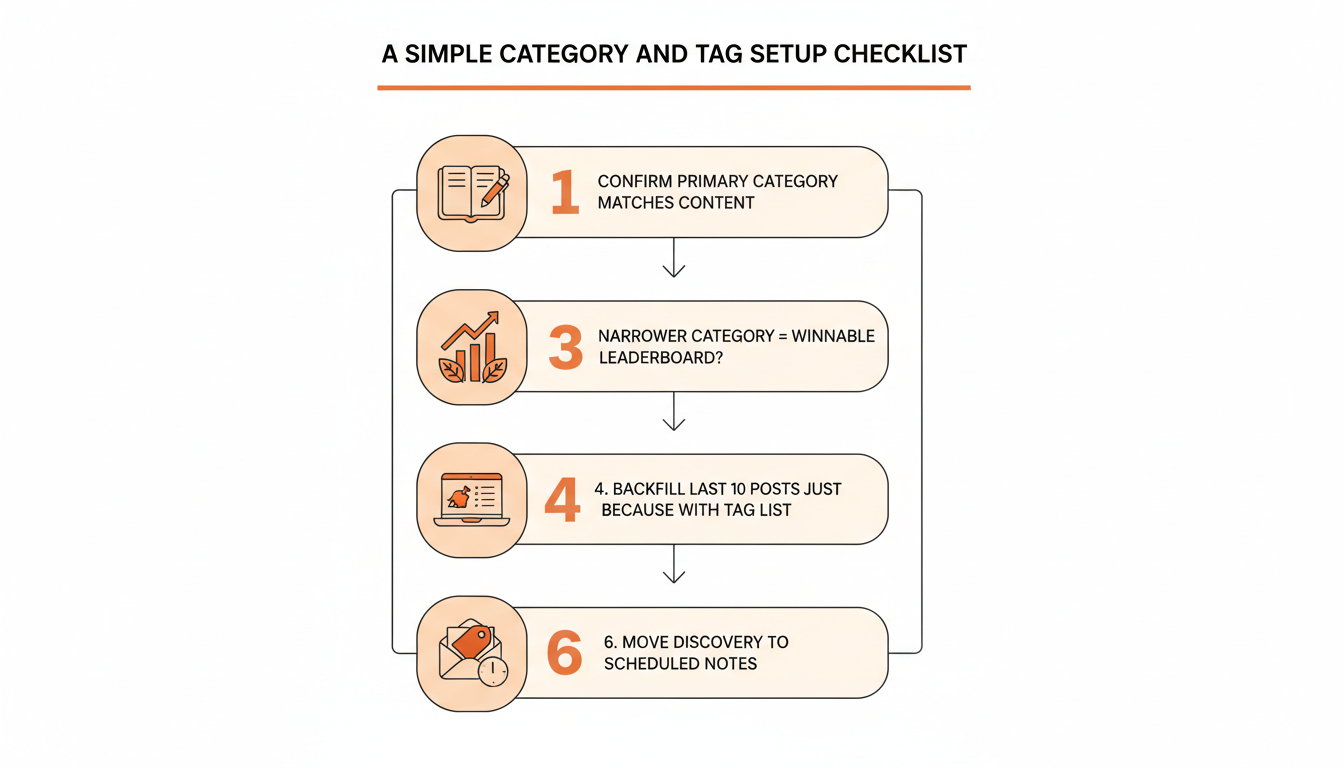
Run through this once, then stop thinking about it until your publication's focus genuinely changes.
- Confirm your primary category still matches what you're actually writing today, not what you launched with.
- Check whether a narrower category would put you in a smaller, more winnable leaderboard field.
- Pick 3 to 5 recurring tags that describe the actual recurring topics in your publication, and write them down somewhere you'll reuse them.
- Go back through your last 10 posts and tag the ones missing tags, using only the recurring list from step 3.
- Stop adding a tag to a post just because the field is available. If nothing on your recurring list fits, publish without one.
- Move the discovery effort you were spending on tag perfectionism into scheduling Notes consistently, since that's the channel the data above actually points to.
Practical rule: treat step 6 as the one that actually moves a discovery number. The other five clean up a system that mostly organizes what you've already written.
Category and tags are worth getting right once, not worth revisiting every time you publish. Pick a category that matches what you'll be writing in a year, keep a short list of recurring tags, and put the discovery effort you were spending on tag perfectionism into the channel that our own numbers, and Substack's, both point toward: Notes and recommendations. WriteStack schedules a week of Notes through its note generator in one sitting, so that channel keeps working while you write the next post instead of the next tag.