
Someone found you through a Note yesterday, liked what they read, and hit subscribe. Substack sent them an email within seconds. For most publications, that email is the untouched default template: a polite thank-you, a button, and nothing that sounds like the writer they just chose to read.
That default is a wasted send, because your Substack welcome email is the message most likely to be opened in the entire life of that subscription. Welcome emails average a 63.91% open rate according to Mailmodo's roundup of welcome email statistics. Most writers never see a number like that on a regular post.
This guide covers where the settings hide, what belongs in the email, what data from 45,036 publications says about which pieces to link, how to know which Note delivered the subscriber who is reading it, and a template you can adapt in ten minutes.
One number worth having before you start: WriteStack has close to 100 verified reviews from Substack writers across multiple platforms. The other tools writers use to fill the top of this funnel have none that we could find anywhere. That is not a small gap in a category where most products launched in the last eighteen months.
Table of Contents
Why Your Welcome Email Outperforms Every Post You Write
The Open Rate Gap
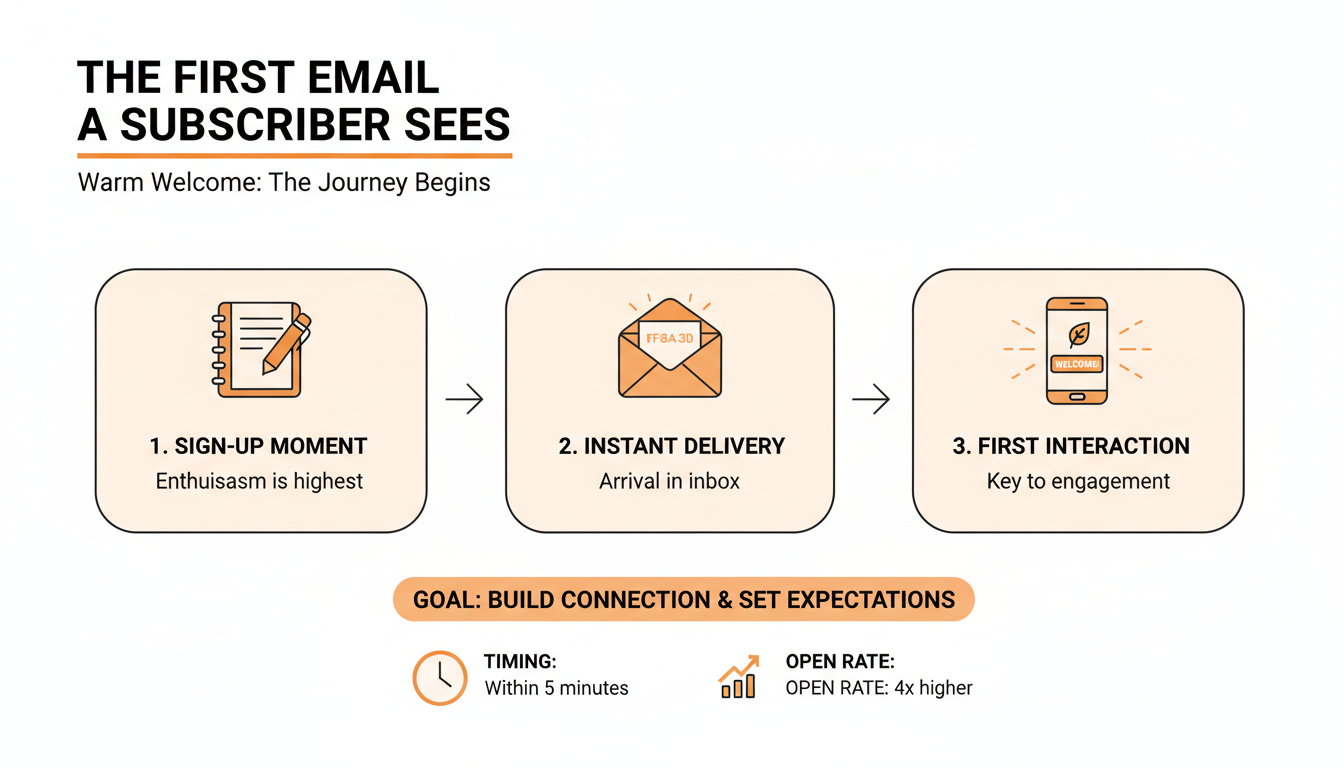
A regular Substack post goes out to your whole list, including people who subscribed two years ago and quietly stopped reading. Your welcome email goes to exactly one person, seconds after they made an active choice to hear from you. That timing is the entire advantage.
The numbers back this up. Across industries, welcome emails open at 63.91% on average, per Mailmodo's welcome email statistics. Compare that to whatever your last post pulled. Even a healthy Substack sits around half that on a good day, and the gap widens as your list ages.
The harder question is what your own number means once you have it. A 48% open rate is either a problem or a win depending on your list size, your growth rate, and where those subscribers came from, and Substack's dashboard can only compare you to yourself. WriteStack benchmarks your engagement against other publications your size, so "is this good" becomes an answerable question instead of a quarterly guess.
The effort writers put into each is inverted. A post gets hours of editing. The one message with a near-guaranteed audience gets whatever Substack shipped as the default.
The Window Closes Fast
A new subscriber's interest peaks at the moment they subscribe. They remember which Note brought them in, and they are actively curious about what else you've written. A week later, your name in their inbox is one of forty. The welcome email is the only message you get to send inside that peak window, automatically, every single time.
Practical rule: Treat your welcome email as your most-read post, because statistically it is. If you'd spend an hour editing a post that 60% of your list will open, spend an hour on this one.
Start a free 7-day trial and find out which Note delivered the subscriber reading your welcome email.
How to Set Up a Welcome Email on Substack
Where the Settings Live
Substack buries this two levels deep, which partly explains why so many writers never touch it. The path, per Substack's own support documentation:
- Go to your publication's dashboard and open Settings.
- Scroll to the Emails section.
- Find the welcome email entries and click Edit next to the one you want to change.
- Replace the default copy with your own, then click Save.
Send yourself a test before you save and forget it. Subscribe with a second email address and read the result on a phone, because most of your subscribers will read it there.
The Four Welcome Email Types
Depending on how your publication is configured, Substack shows up to four separate welcome emails you can customize:
- Free subscribers: the highest-volume one, so customize it first.
- Paid subscribers: worth its own version, since this reader just gave you money and deserves more than the free boilerplate.
- Founding subscribers: small volume, high goodwill. A personal tone pays off here.
- Imported subscribers: these readers didn't subscribe on Substack, so this email has to re-earn the relationship.
What to Include in Your Substack Welcome Email
The Five Parts That Earn Their Place
Substack's own guide to writing a good welcome email points in the same direction as what top publications actually do. Five elements, in order:
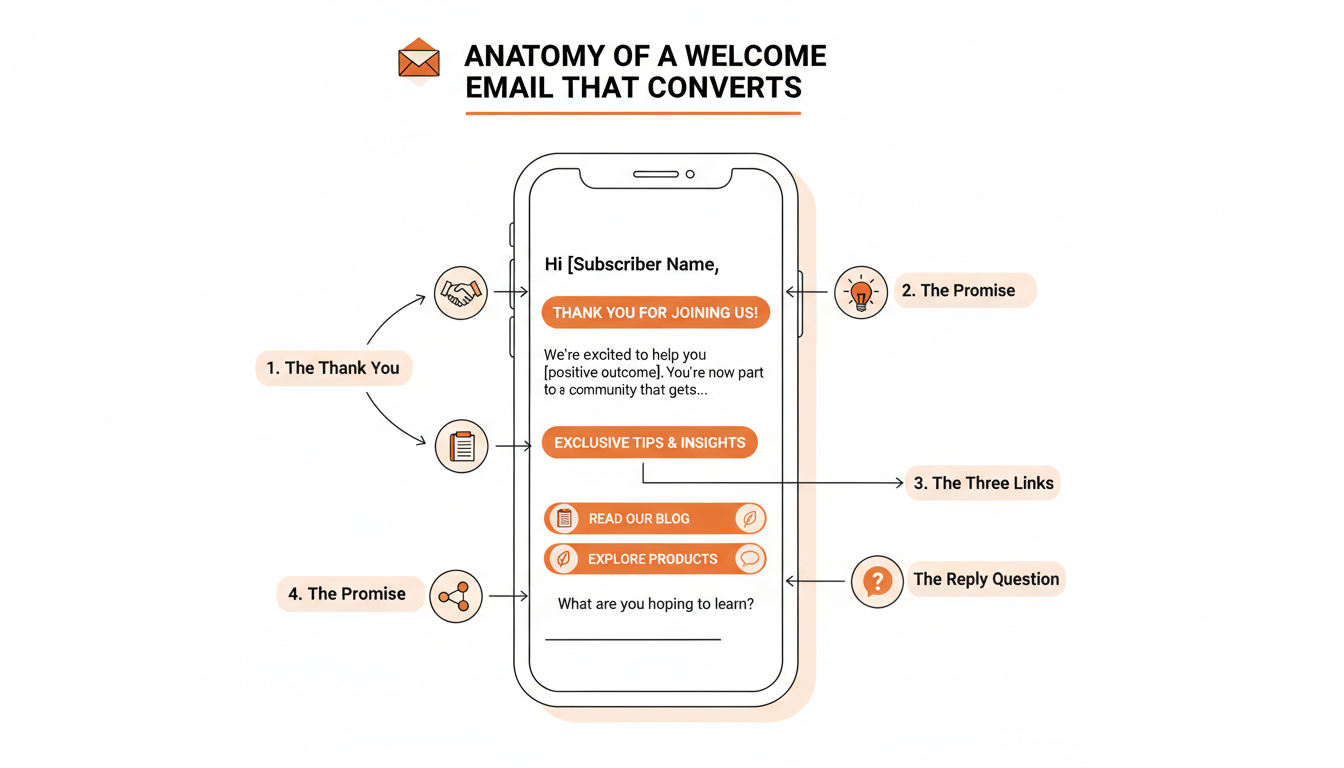
- A thank-you that sounds like you. One or two sentences in your actual writing voice. If your Notes are blunt and funny, the welcome email should be blunt and funny. Voice mismatch here reads as bait-and-switch.
- What they'll get and how often. One sentence: "Every Tuesday, a 5-minute read on X." Specific beats vague, and a named day beats "regularly."
- Two or three of your best pieces, linked. Posts if you have them, and your strongest Notes if the subscriber came in through the Notes feed, which most new subscribers now do. Covered in depth two sections down, because most writers get this one wrong.
- One question they can answer by hitting reply. More on this below. It does double duty as audience research and as a deliverability signal.
- A pointer to the Substack app or your archive. Optional, but useful for readers who came in from outside Substack and don't know the app exists.
That full email runs 150 to 250 words. Shorter than almost anything else you publish, and worth more per word.
What to Cut
Everything else. The long personal bio belongs on your About page. The list of every social platform you're on dilutes the one or two clicks you actually want. Competing calls to action (read this, follow me here, upgrade now) collapse into no action at all. And cut any hedging like "I hope this isn't too much email." You're a writer asking someone to read your writing. Stand behind it.
Practical rule: One thank-you, one promise, three links, one question. If a sentence doesn't serve one of those four jobs, delete it.
The Welcome Email Is the Second Thing That Happens
Everything above assumes subscribers are arriving. A perfect welcome email sent to four people a month is a rounding error, and writers who polish onboarding copy while their subscriber count sits flat have fixed the second step of a two-step sequence.
The first step, for most Substack publications in 2026, is Notes. Someone reads a Note in the feed, clicks through, reads one post, subscribes. Your welcome email is the reply to a conversation a Note started, which means the two have to be planned together. Almost nobody plans them together.
Which Note Actually Delivered This Subscriber
Substack's dashboard shows subscriber counts by day and, if you dig, a rough source breakdown. What it cannot show you is which specific Note produced a given subscriber, or which link inside that Note they clicked to get there. That attribution is the single most useful thing you could know about your own growth, and a per-account dashboard structurally cannot produce it.
WriteStack tracks link clicks across your full Notes history, per link inside each Note, going back to your first one. So "this Note performed well" becomes "this Note sent 40 people to the archive, 12 of whom subscribed, and the click was on the second link, not the first." That changes what you write next, and it changes what you link in the welcome email, because the pieces that convert strangers into subscribers are usually not the pieces that collect the most likes.
Run that for a month and a pattern falls out. Two or three Notes are doing most of the subscriber work, and they are rarely the ones you would have guessed. Those are the Notes to write more of, and the ones worth putting in front of a new reader while they still remember why they subscribed.
The Email Has to Sound Like the Notes
The other failure is drift. Your Notes are loose, opinionated, written fast. The welcome email gets written in a separate sitting, in a different mood, and comes out sounding like a corporate onboarding sequence. The reader subscribed to the first voice and got the second one, which is the quietest reason new subscribers go dormant in week one.
Every AI writing tool in this category generates from a prompt, so you describe your voice and edit the output until it approximates you. WriteStack's Notes generator reads what you have already published and drafts from that, so the output starts in your voice instead of arriving at it after three rounds of editing. If a draft misses, you switch models rather than living with one fixed voice. Point it at the welcome email and the email inherits the register of the Notes that earned the subscriber.
| What a new subscriber raises | Substack's own dashboard | WriteStack |
|---|---|---|
| Which Note sent this subscriber to your page | No | Yes, link-click history per link inside every Note, back to your first |
| Is my engagement normal for a publication my size | No, per-account only | Yes, benchmarks against other publications your size |
| Is my growth climbing or sliding month over month | Snapshot only | Trend analysis over time |
| Draft in the voice I already publish in | Not applicable | AI drafts from your published Notes, with model selection |
| Schedule a chat post for new subscribers | Yes, in the Chat tab | Yes |
| Which of my Notes to link in the welcome email | Post stats only | Top performers across Notes and posts in one view |
| Queue a week of Notes in one sitting | Manual, one at a time | Built for this |
| Verified reviews from Substack writers | Not applicable | ~100 across multiple platforms |
Start your free trial and see the click history behind every Note you've published.
Link Your Best Work, Not Your Latest
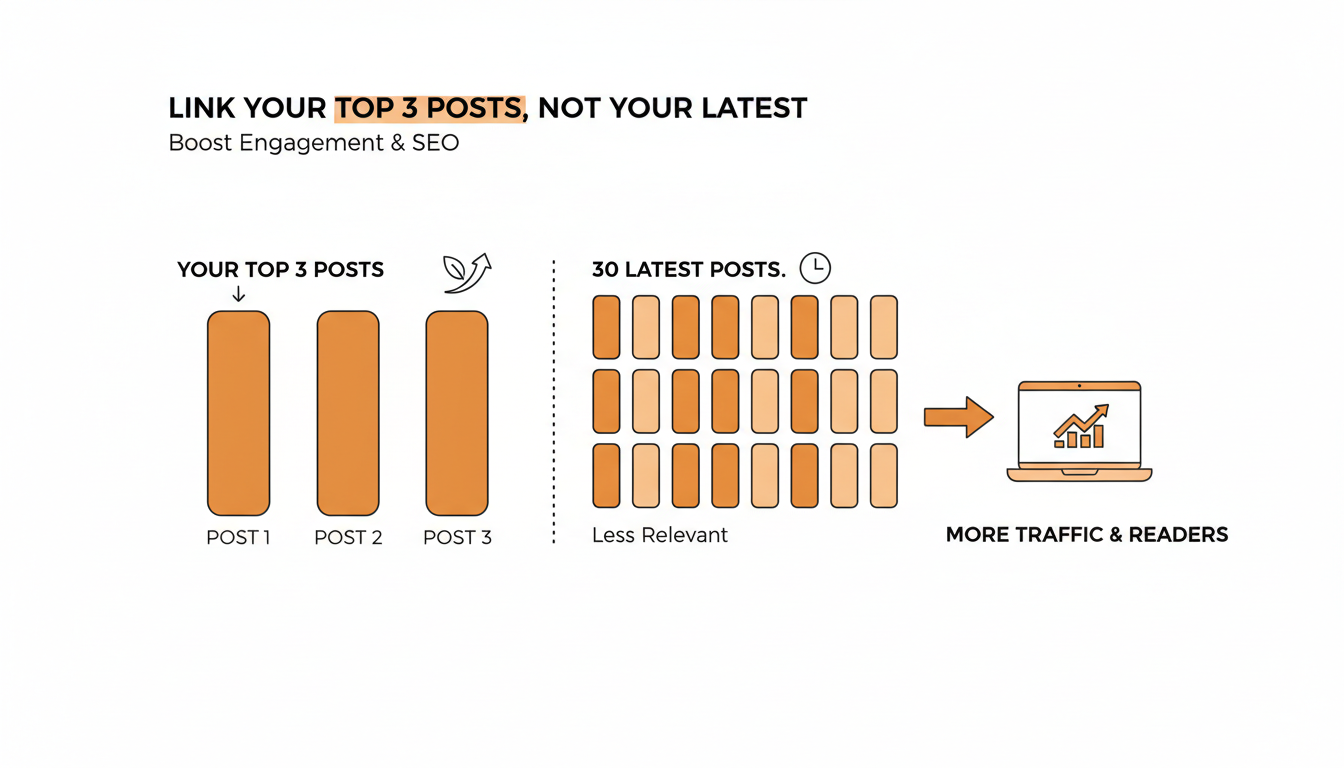
Here's where we can add something the other guides can't. We analyzed 45,036 Substack publications with at least 20 posts each, drawn from a corpus of roughly 3 million posts. In the median publication, just 3 posts account for 16.2% of every reaction the publication has ever received. Engagement concentrates hard in a handful of pieces, and the bigger the archive, the more extreme that concentration gets.
A new subscriber will never scroll through your archive to find those pieces. They found you through one Note, and their mental model of your work is one data point wide. The welcome email is the only place you can reliably hand them your strongest two or three pieces while they're still paying attention.
Linking your latest post instead is the common mistake. Your latest post is a random draw from your quality distribution. Your best posts are the top of it.
How to Find Your Top Three
Open your Substack dashboard, sort your post stats by engagement over all time, then apply one filter the dashboard can't: pick the pieces that represent what you'll keep writing. A viral one-off about a topic you've abandoned will attract replies about the wrong thing.
The Notes side is where the dashboard runs out entirely. Substack ranks Notes by likes and restacks, which measures applause, not arrival. WriteStack ranks your Notes by the clicks they produced and shows top performers across Notes and posts in one view, so the two or three links in your welcome email are chosen on evidence rather than on which piece you happen to feel good about this week.
The part people don't expect
WriteStack tracks which of the two links inside a Note got clicked, going back to your very first Note, so the pieces you put in the welcome email are the ones that measurably pulled readers in. It benchmarks your engagement against other publications your size, which a per-account dashboard structurally cannot do, so a 48% open rate stops being a number and starts being a verdict. And it schedules Chat threads as well as Notes, so the welcome sequence can continue past the inbox into the one place your most engaged readers already hang out. Open the dashboard on a Tuesday and see that the Note you almost didn't post drove 40 link clicks, and that your restack rate is running well above typical for a publication your size. Not better than last week. Better than the field.
Struggling to stay consistent on Substack?
Batch and queue your Substack Notes in minutes, track which Notes convert subscribers, and grow without burning out.
Set Expectations About Frequency, Then Keep Them
The frequency promise in your welcome email is a small sentence with long consequences. Readers rarely unsubscribe because a newsletter is too good too often. They unsubscribe when reality doesn't match what they signed up for: the "weekly" newsletter that goes quiet for a month, then sends four posts in a week to catch up.
What a Realistic Promise Looks Like
Promise the floor, not the ceiling. If you write weekly on a good month and twice a month on a bad one, say "twice a month" and let the extra posts feel like a bonus. A kept small promise builds more trust than a broken big one.
The harder part is keeping it, because the promise is made once and kept every week after. This is a systems problem more than a willpower problem. That's the entire reason WriteStack exists: you queue your Notes in advance through a browser extension that hands each one to Substack's own native scheduler, so your session never leaves your browser, and the publishing keeps happening whether or not your Tuesday went to plan. Pair it with the engagement heatmap to see when your audience is actually online, so the schedule you promise is also the schedule that performs.
Practical rule: Never promise a frequency in your welcome email that you haven't already sustained for six weeks without a scheduling system, or two weeks with one.
Ask One Question and Mean It
End the welcome email with a single question a reader can answer by hitting reply. Good ones are specific and easy: "What made you subscribe?" or "What's the one thing you're stuck on with X?" Bad ones are homework: "Tell me about yourself and your goals."
The replies are the best audience research you will ever get for free. Ten answers to "what made you subscribe" will tell you which of your topics is pulling people in, in your readers' own words. Those phrases become your next titles and your next Notes. Feed them back into the queue while they're fresh, since a reader who told you exactly what they want is describing a Note you have not written yet.
Why Replies Help Deliverability
There's a mechanical benefit too. Mailbox providers like Gmail decide where your future emails land partly based on engagement signals, and a reply is one of the strongest positive signals a subscriber can send. A reader who replies is telling Gmail that your emails belong in the Primary tab. Substack's guide recommends inviting replies for exactly this reason.
Practical rule: Ask one question, and reply personally to every answer for as long as the volume allows. A two-line reply from a real writer converts casual subscribers into the people who restack everything you post.
A Welcome Email Template You Can Adapt
Here's a skeleton that hits all five elements in under 200 words. Rewrite every line in your own voice before using it.
Hey, I'm [name]. Thanks for subscribing to [publication], you just made my day.
Here's the deal: every [day], I send [one-line description of what you write and who it's for]. It'll take you about [X] minutes to read.
While you're here, these are the three pieces readers keep coming back to:
[Best piece #1, linked] [Best piece #2, linked] [Best piece #3, linked]
One small favor: hit reply and tell me what made you subscribe. I read and answer every response, and it genuinely shapes what I write next.
Talk soon, [Name]
P.S. If you prefer reading in an app, [publication] lives in the Substack app too.
The bracketed links are where the click data from earlier pays off. Fill them with the pieces that actually delivered subscribers, not your three most recent posts.
Welcome Email vs. Pinned Post vs. About Page
New readers actually meet your publication in three places, and writers often cram the same content into all of them. Each has a different job.
The welcome email is a push. It lands in the inbox without the reader doing anything, at the moment of peak interest, and it gets one read. That's why it carries the promise, the best-of links, and the reply question, and nothing else.
The pinned post is a pull. It sits at the top of your homepage, and unlike the email it can be long. A "start here" guide or your origin story earns its length here, because a reader who clicks it has already decided to spend time with you.
The About page is reference material. Substack shows it to potential subscribers as social proof, and search engines index it. Your full bio and the case for subscribing belong here, which is exactly why they don't belong in the welcome email. Link it instead of pasting it in.
Practical rule: Write the welcome email for someone giving you 30 seconds, the pinned post for someone giving you 10 minutes, and the About page for someone deciding whether to trust you at all.
Common Welcome Email Mistakes
Six failure patterns show up again and again in Substack welcome emails. Each one has a cheap fix.
| Mistake | Why it hurts | The fix |
|---|---|---|
| Leaving the default template untouched | Your highest-open-rate message sounds like a robot wrote it | Rewrite it once, in your voice, this week |
| Linking your latest post instead of your best | New readers judge you by a random sample of your work | Link the two or three pieces with the strongest click history |
| Perfecting the email while the list sits flat | A great welcome email sent to four people a month is a rounding error | Fix the Notes engine feeding it, then polish the email |
| Stacking five calls to action | Competing asks cancel each other out | One question, two or three links, nothing else |
| Promising daily, delivering monthly | Broken expectations drive unsubscribes more than frequency does | Promise your floor and schedule ahead to protect it |
| Never updating it | Your best pieces from a year ago aren't your best pieces now | Recheck the links once a quarter |
The last row is the one everyone forgets. Your archive grows, your best work changes, and the email that introduces new readers to you should change with it. Put a quarterly reminder on it.
Six weeks after you fix both halves, the change isn't that you write better welcome emails. It's that you stopped guessing. You know which Note delivered the subscriber, so you know which pieces to hand them. You know your open rate sits above what publications your size are pulling, because you can see the field and not just your own history. The email sounds like the Notes because it was drafted from them. The frequency promise holds through a bad week, because the queue was filled on a good one.
Your welcome email makes a promise, and the rest of your Substack has to keep it. WriteStack handles both ends: link-click history across your full Notes archive so you know what to link, benchmarks against publications your size so you know where you stand, AI drafting from what you've already published so the voice never drifts, and a queue that protects the schedule you promised. Close to 100 verified reviews from Substack writers back that up, and no other tool in this category has any we could find.
Start a free 7-day trial. Fix the welcome email today. Build the system that makes its promise true.